
Form field detection finds every place on a form where a person is meant to write, tick, or sign, and returns each one with its type, its box, and the printed label next to it. It returns only the fields, without parsing the rest of the page.
Today we’re releasing an updated model. It finds more of the fields on a page, the boxes it returns are more often right, and the labels are cleaner. It’s live in the API now, and you can try it on your own forms in the playground.
What’s better
We measured both models on the same 400 held-out government forms:
- It finds 86.8% of fields, up from 82.3%, and 89.8% of the boxes it returns are right, up from 86.7%.
- Labels match the printed text at 0.835 word by word, up from 0.780.
- The old model sometimes glued a nearby number onto a label, like “Breach214”, on 3.4% of boxes. That’s now 0.36%, and on a second set of 146 pages it didn’t happen at all.
- On about 0.7% of pages, the old model listed the same fields over and over. The new one did that on none of the 546 pages we tested.
Labels now match the printed text exactly 69% of the time, up from 62%. Most of the misses are close, such as the label of a neighboring field, or a table caption written as “column / row”.
Try it in the playground
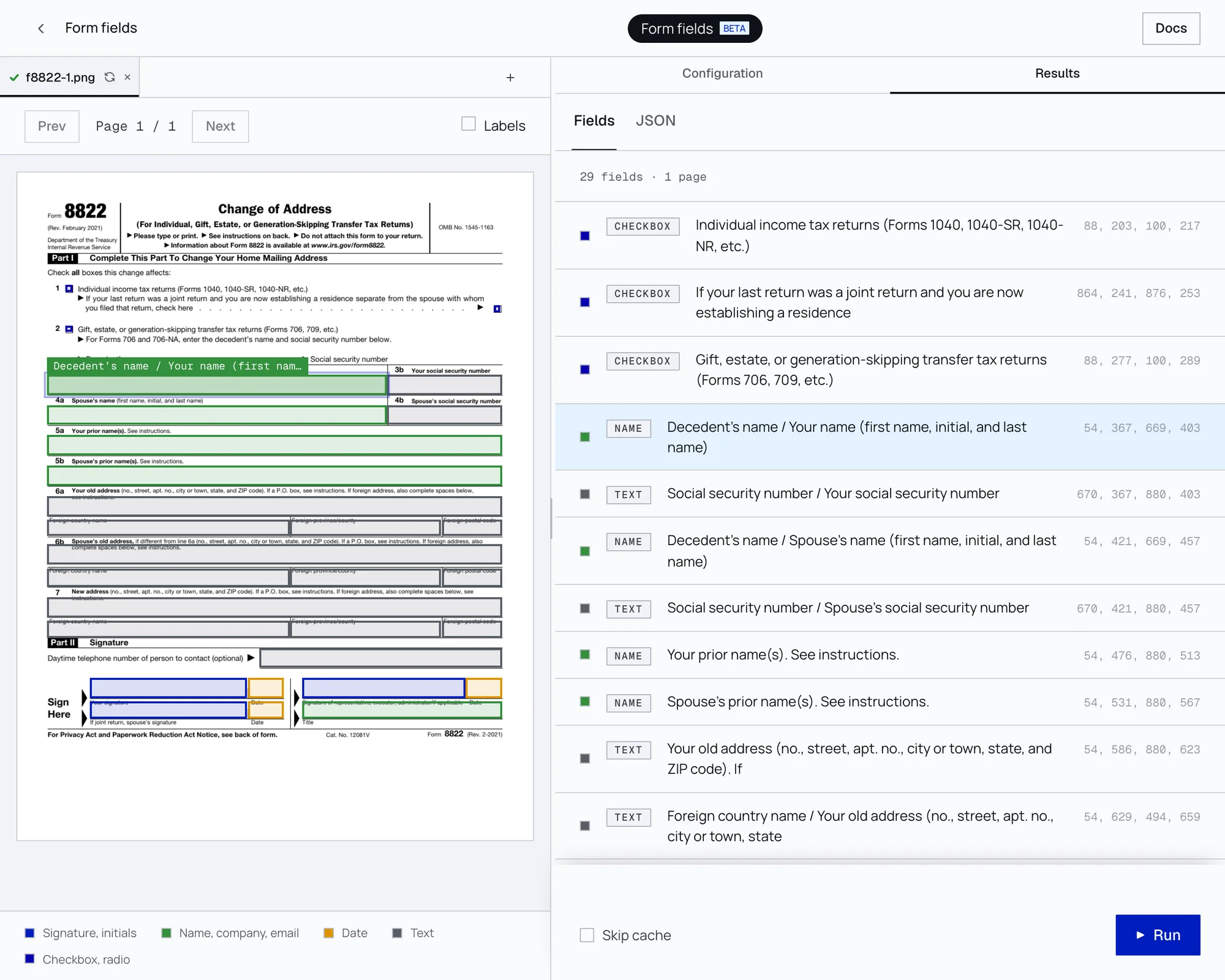
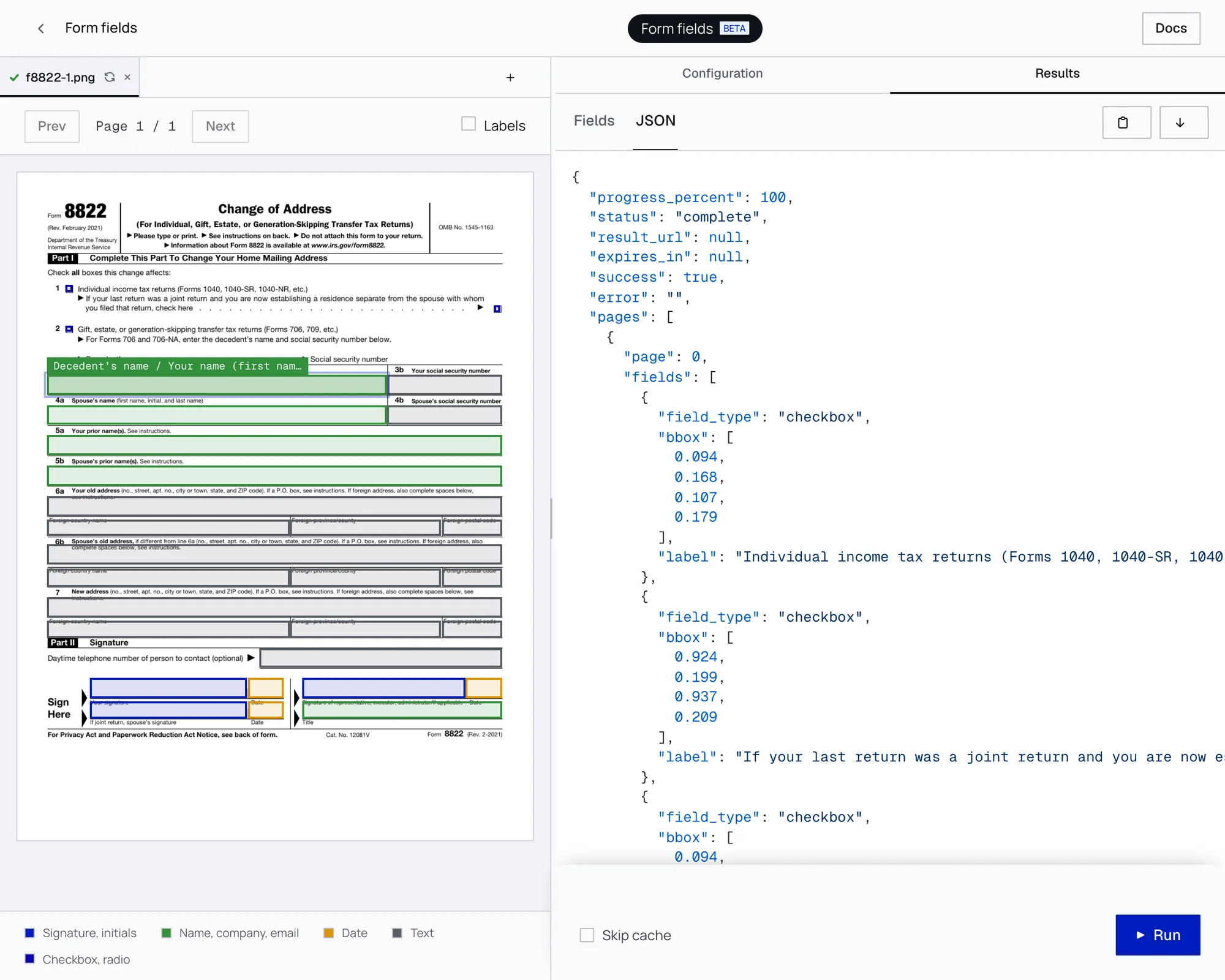
Sign in, open Form fields in the playground, and upload a PDF or an image. It runs up to 10 pages. Every field the model finds is drawn on your page, next to a list with each field’s type and label. Click a box or a row to find its match, or switch to the JSON the API returns and download it.
If a form trips it up, send it to [email protected]. Our test pages are mostly English government forms, so we especially want forms in other languages and poor scans.
Using it
Nothing changes in your code. The endpoint is still POST /api/v1/form-fields, with the same response and the same 12 field types. The launch post has a full Python example, and shows how to place each field on a PDF page.
How we measured
Both models ran on the same pages and were scored the same way. The test set is 400 government forms we kept out of training, with the answers taken from each PDF’s own form fields. A field counts as found when its box overlaps the true box by at least half. This is a new, stricter test than the one we used at launch, so don’t compare these numbers with the launch post’s.