
We’re happy to announce that the Datalab API now has native support for spreadsheets. We’ll segment and parse tables from sheets accurately.
Spreadsheets have the illusion of structure
OCR models are improving incredibly quickly. PDFs that couldn’t be parsed at all can suddenly be turned into clean markdown. We’ve made progress on handling forms, tables, complex layouts, and handwriting. Models like Chandra can OCR documents that humans struggle to read.
If you don’t work with them regularly, you might not realize that spreadsheets have a lot of the same issues as PDFs.
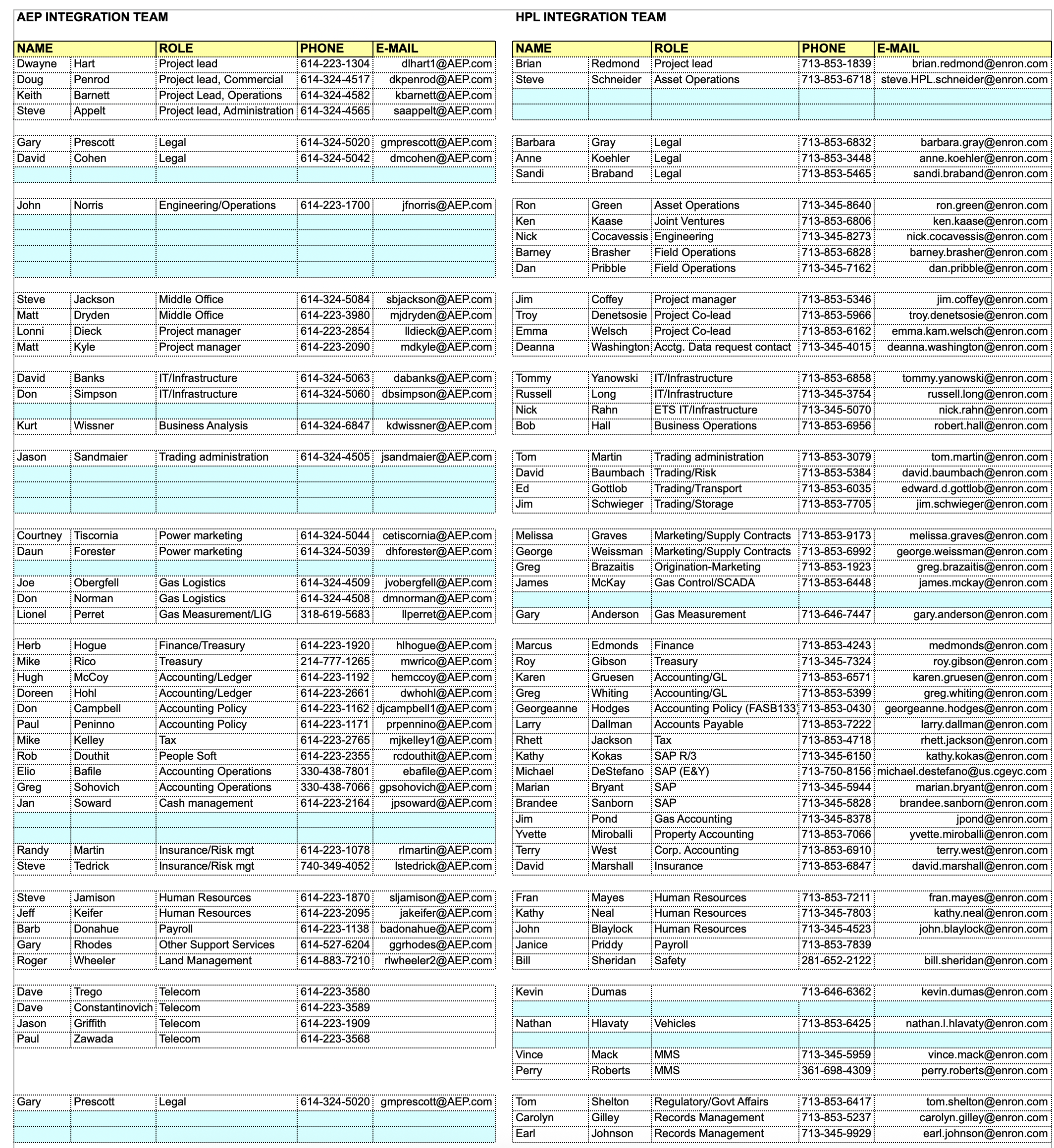
Take a look at this sheet, from the Enron dataset. It has 2 columns, and lots of breaks in between rows. If you’re trying to turn this into LLM-ready data, you could just turn it all into one big table, but:
- You’d have a lot of extras whitespace and rows
- You’d be missing the fact that each column refers to a different team
These issues will impact your downstream accuracy.
Here’s another example, from Squarespace - this actually has several distinct tables. Ideally, you’d be able to segment them out, and conditionally feed different segments to an LLM, depending on your goal.
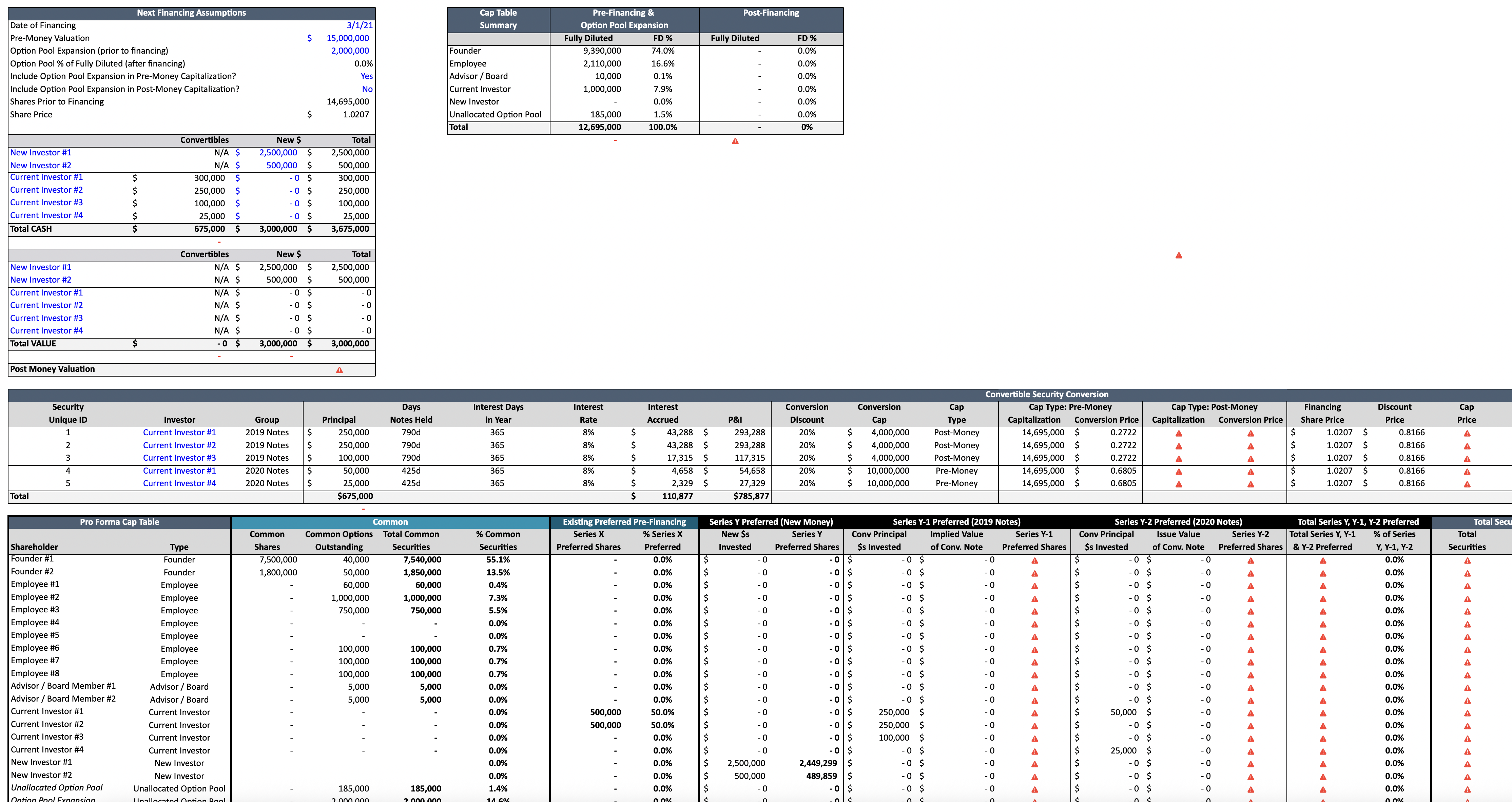
The key takeaway is that spreadsheets appear to have structure with their grid layout, but this layout can be abused, just like PDF layouts can.
Each sheet can have extremely long and wide tables, or contain multiple tables that are staggered arbitrarily with vertical and horizontal gaps, with ambiguous clues as to when one ends and a new one starts. Gaps which you can’t reliably use to separate out tables.
Ultimately, Excel sheets don’t store any semantic information, or indicate how the different parts relate to each other.
Extracting spreadsheet data
Even though spreadsheets are hard to parse, it’s critical to do so. Parsing spreadsheets enables you to:
- Analyze spreadsheets containing financial metrics of portfolio companies and compare them with your internal expectations, at scale
- Ingest messy ‘loss run’ spreadsheets from different carriers and instantly standardizing the claims data for risk analysis
- Normalize thousands of vendor price lists - each formatted differently - automatically into your ERP
One way to extract data from spreadsheets is to run OCR on the images. However, this results in you being unable to separate the tables out and understand what each part means.
Datalab spreadsheet parsing
Today, we’re introducing spreadsheet parsing via the Datalab API. With this update, you can reliably segment tables, pull them out in html/markdown/json, and also get metadata like the table name and description.
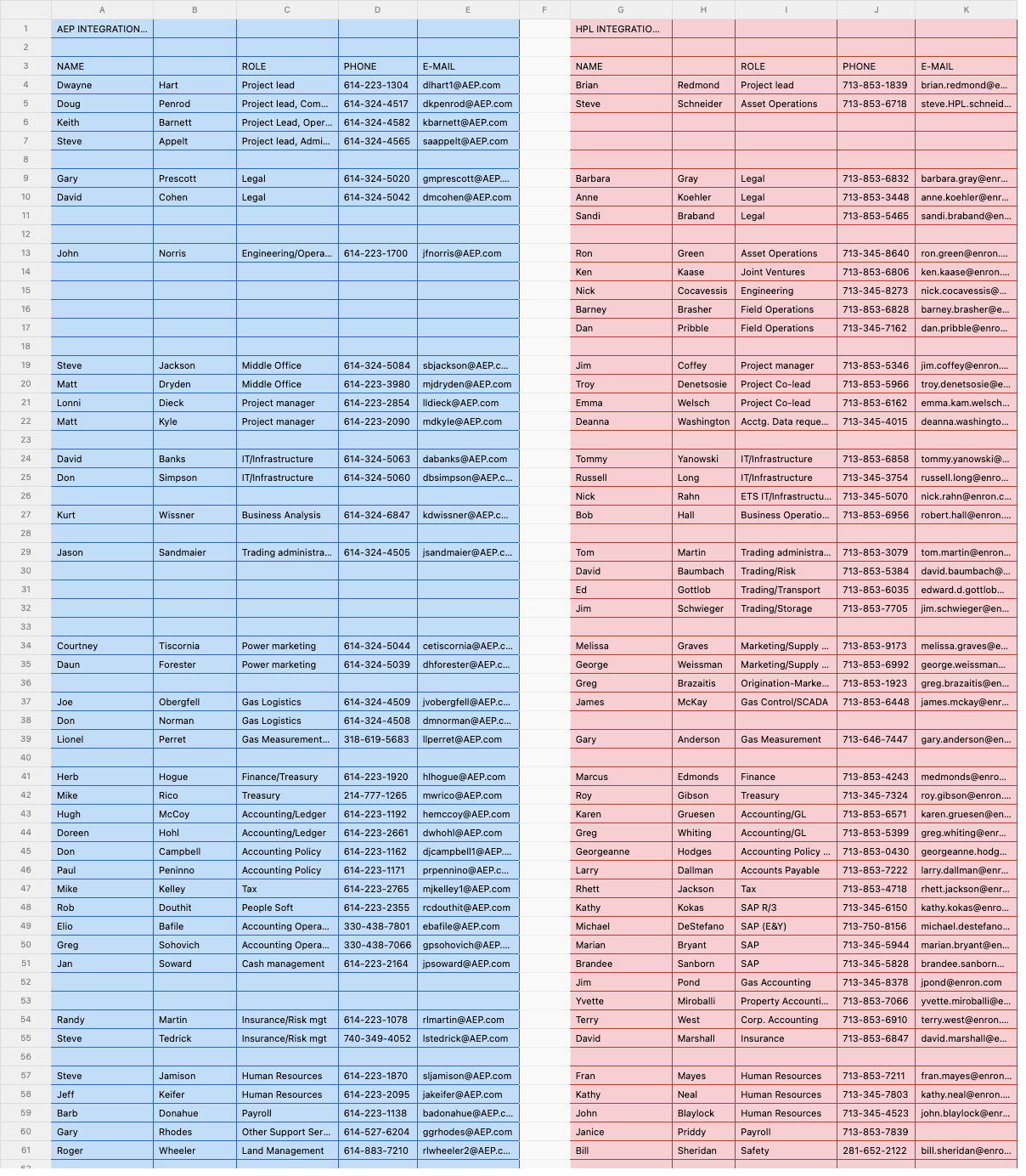
Our Enron example from earlier gets perfectly segmented into two regions. Notice that it picks up distinct table regions on the left and right, without tripping on row gaps within each table region. Each table has full and complete context so when you run extraction or index it later, you don’t have to worry about missing content in a region due to over-splitting.
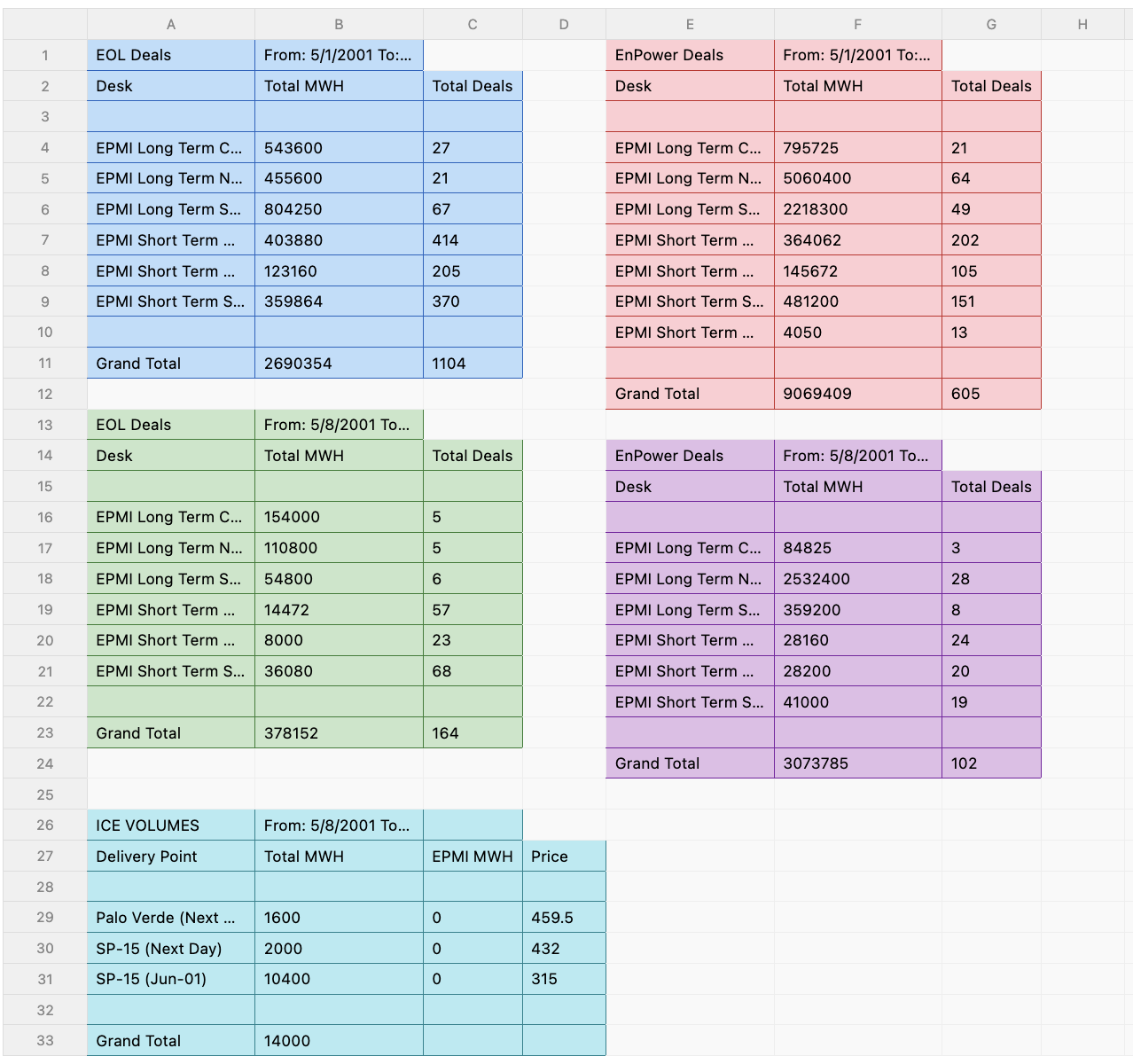
Another example from the Enron dataset, a sheet containing multiple tables that are horizontally and vertically separated, each correctly segmented by our new pipeline.
Same API, New Superpower
Today, spreadsheet support is live in Datalab. Here’s what that means for you:
- No Extra Integration Work: If you’re already using our API, you don’t need to change a thing.
- Broad Format Support: Simply upload a
.csv,.xlsx,.xls,.xlsm, or.xlstfile instead of a.pdf. - Familiar Output: You get back the same response format you are already familiar with.
Pricing
Spreadsheets follow our familiar pricing model of $6 per 1,000 pages, mapped to cell count:
- 500 cells = 1 page. We only count cells with actual content. Empty cells are free.
- As an example: A sheet with 2,500 populated cells counts as 5 pages.
What’s next?
Spreadsheet support is live today for all customers via our API. If you’re processing spreadsheets and hit edge cases, drop us a note at [email protected]. We’d love to hear from you.