
To wrap up our Launch week, we’re excited to share that we’ve sped up parsing for Tracked Changes outputs. Keep reading for a bonus release at the end!
Instant Tracked Changes Outputs
Last month we launched Tracked Changes extraction for Word documents.
Customers use this feature to extract revisions and comments from Word docs and have LLMs review them: perfect for legal review workflows.
Our extraction preserves document formatting while bringing tracked changes data in-line, like so:
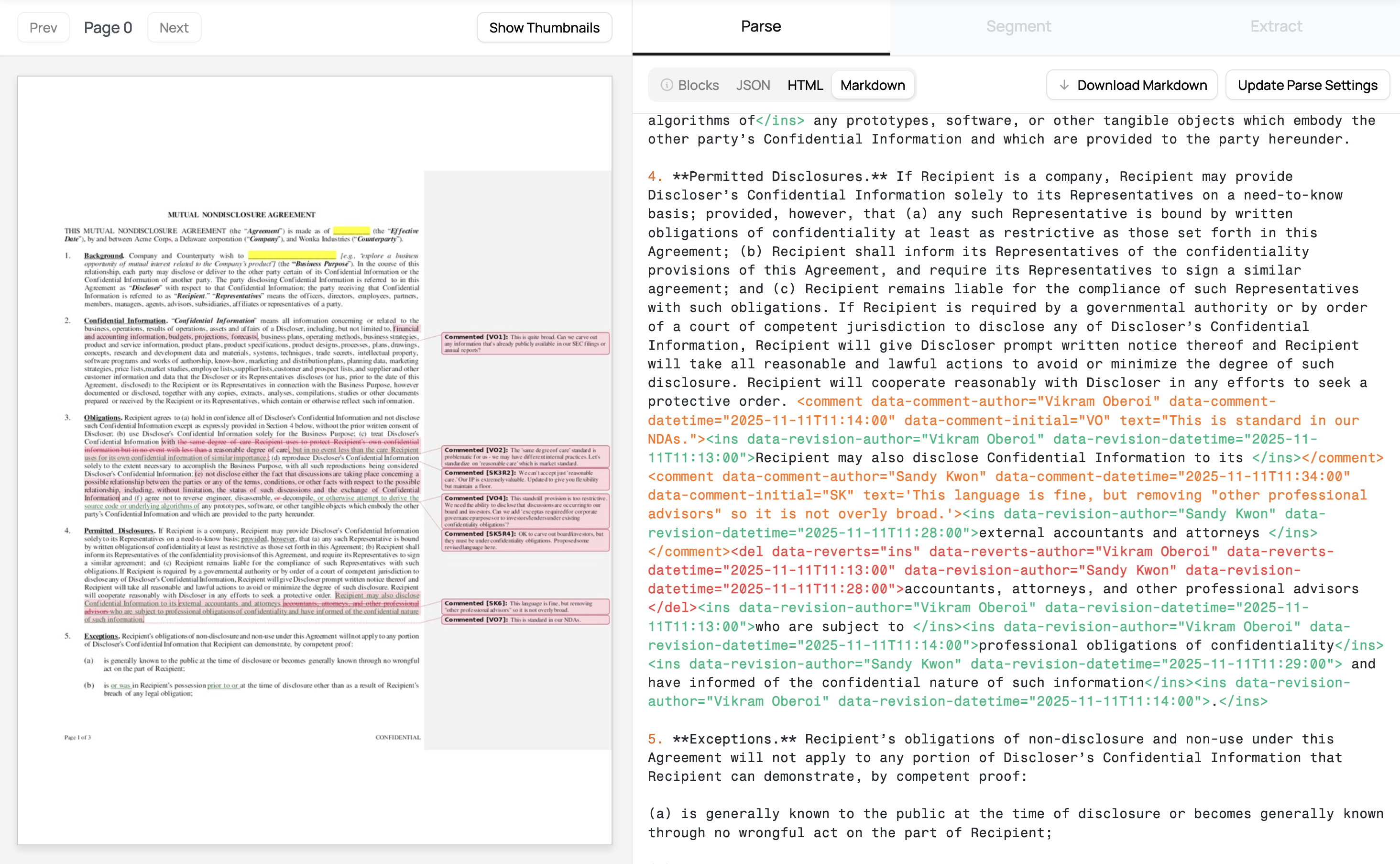
Our initial release focused on accuracy and completeness, but was slow for many docs.
With this speed-up, you can parse a 10 page document in 10-15 seconds. We plan to bring further latency improvements to the feature in the coming months.
Try Tracked Changes
If you tried Track Changes extraction before and needed faster processing, give it another shot. If you haven’t tried it yet, check out our original post for the full details on what it does and how to use it.
The API endpoint and code examples are unchanged - just point your existing integration at the same /marker endpoint with extras: "track_changes" and you’ll get the speed boost automatically.
Pricing remains the same at $6/1000 pages.
As always, reach out at [email protected] with questions or feedback.
Bonus: Spreadsheets are live in Forge
We recently announced native Spreadsheet Support with the Datalab API, ensuring your document processing workflows can accurately identify tables and other content from various sheets in XLSX, CSV, ODS and other files.
We’ve heard repeatedly how important it is to detect tables accurately from spreadsheets, especially with wide sheets or ones containing multiple staggered but distinct tables. Many other systems will accidentally over-split tables, creating a headache when you have to re-merge them back together to make sure the necessary context is in one place for a downstream extraction or RAG type use-case.
Today, this is live within our interactive playground Forge. When you upload any supported spreadsheet file, you’ll have the same consistent parse experience and be able to see each table we identified, making it easier to evaluate parse quality.
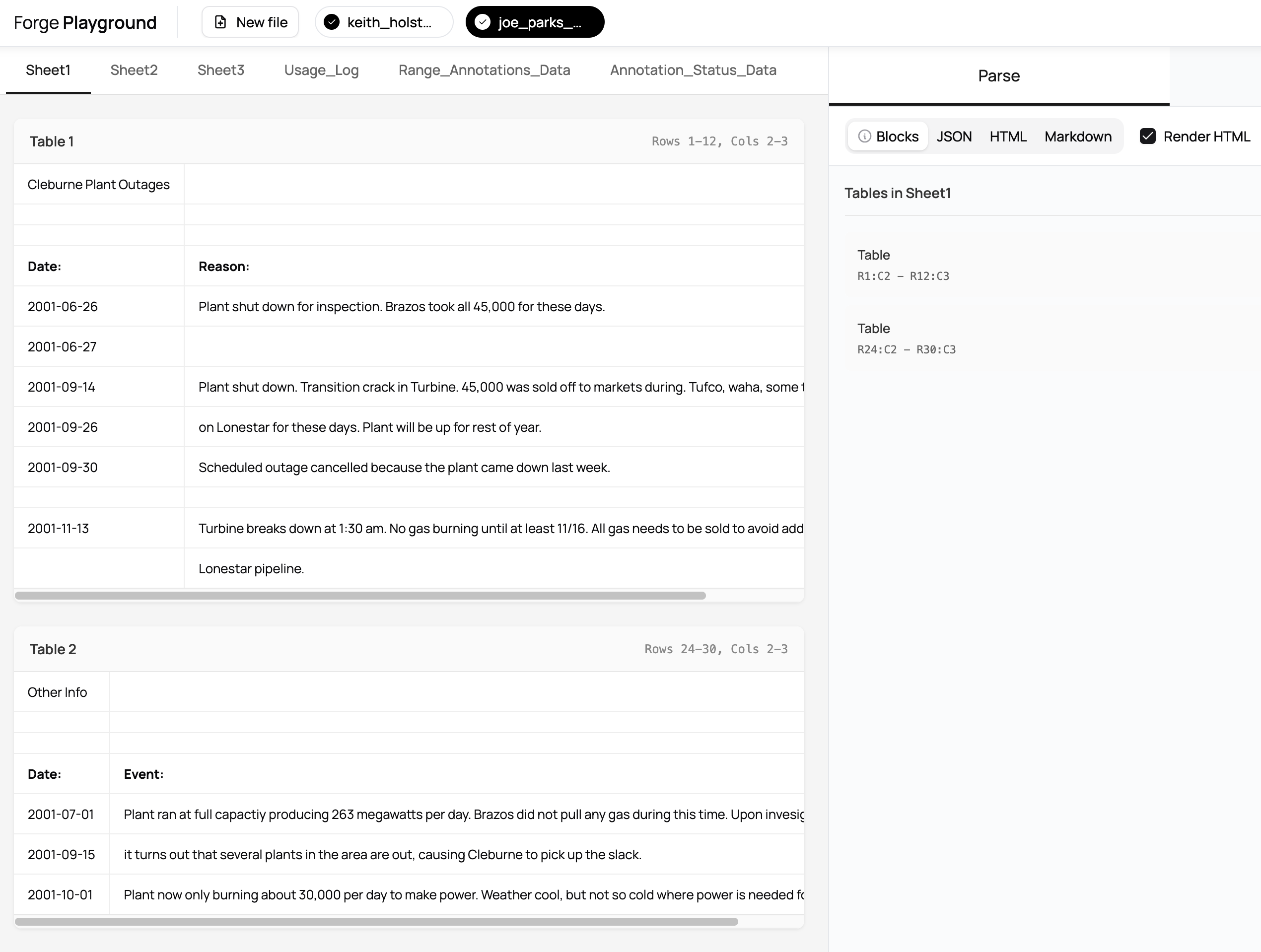
Spreadsheets don’t have the full range of parse settings you might be used to with our usual PDF / DOCX conversion, so just upload and sit back.
Parse Spreadsheets in Forge
You can parse spreadsheets in Forge here.
If you run into issues with large sheets, notice any issues, or have a need for other spreadsheet formats, write to us anytime at [email protected]