
Folks shopping around for OCR and document intelligence solutions have two primary questions:
- What are the best models out there?
- How do they perform on my documents?
Benchmarks help answer #1 by narrowing the field (our newest model, Chandra, tops independent benchmarks), but they have their limitations and don’t give you qualitative insight.
Documents are incredibly diverse. Some are downright frightening. You still need to figure out how well models work on your layouts, languages, weird scribbles, low-resolution scans, forms, gnarly tables, and that terrible low-lighting photo someone took of an incredibly important document.
We’d like to help you navigate your purchase confidently. To that end, we’re announcing two things today:
- Datalab Benchmark Pages: You can view scores and output across a sample of ~8K diverse pages spanning tens of languages for leading models, including ours.
- Datalab Evals: Do you want to see the same output on your own documents? We’re confident in our model performance and are happy to help. Talk to sales to get started.
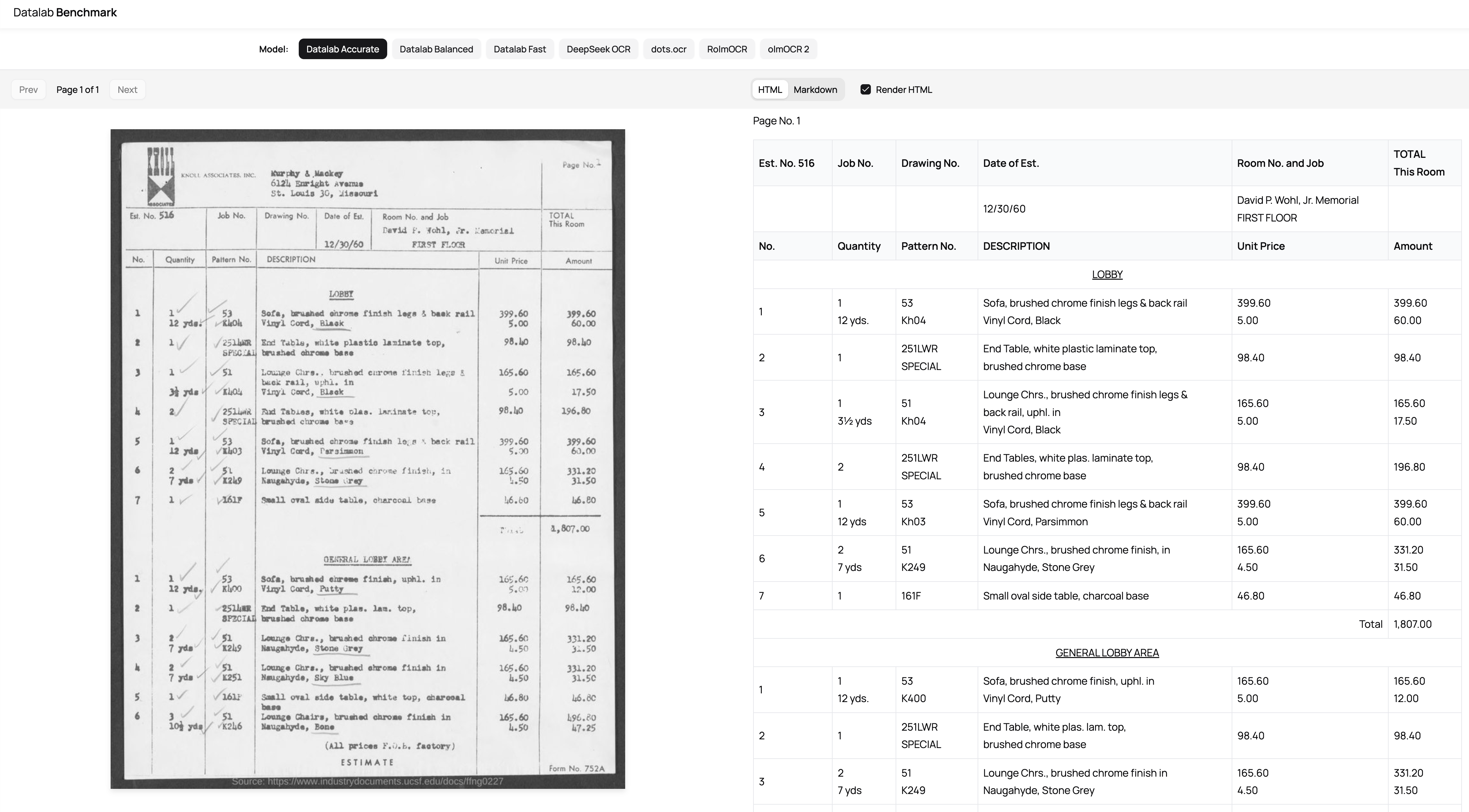
We’ve already generated evals for multiple prospects and aim to allow users to do this in a self-serve way across leading open models and competing proprietary services. Stay tuned.
How was Datalab Benchmark generated?
The benchmark compares:
- Three Datalab API modes backed by Chandra & Chandra Small: accurate, balanced, and fast (set the mode parameter to these in our /marker endpoint)
- olmOCR
- 2dots.ocr
- Deepseek OCR
- RolmOCR
For the Datalab output, we used the same API our API customers use. We ran all other models on H100s in Modal using vllm and normalized output from each of the models.
We used a ~8K document sample comprised of:
- All of OmniDocBench
- All of olmOCR-bench
- All of Chunkr Layout Bench
- All of OmniAI OCR Benchmark
- A 2K sample from the ColPali training set
- A sample of ~100-150 docs per non-Latin script in finepdfs
We classified documents in the sample into the categories you see at the top of datalab.to/benchmark. With the output, for each class, we:
- Generated a sample of pairwise matchups between every model
- Used an LLM-as-a-judge approach to pick a winner in each matchup
- The LLM received: an image of a page, output from model A, output from model B
- The order of A and B in the prompt were randomized to reduce ordering bias
- Calculated scores using Bradley-Terry, a standard statistical model for ranking from pairwise comparisons, converted to an ELO scale
These are the scores you see on the left of each of the pages.
Finally, we’ve curated a set of documents for you to examine output for in each class. This way users can view each document alongside rendered or raw output from every model.
Get Your Own Documents Evaluated the Same Way
Struggling to eval model performance on your documents? Explore our benchmark pages and if you’re interested in similar output for your documents, talk to sales here.